Can You Use Apple AirTag to Track Your Car Effectively
Yes, you can use Apple AirTag to track your car, but it has limitations. AirTag relies on Bluetooth and the Find My network, so it is not a true GPS tracker. It works best for short-range tracking and finding a parked car nearby, but it falls short for real-time long-distance location monitoring. If you want precise, always-on car tracking, a dedicated GPS car tracker may be a better choice.
Losing your car in a crowded parking lot is stressful. You walk row after row, squinting at bumper stickers and scratches, hoping to spot your ride. What if you could just open your phone and know exactly where it is? That is where the idea of using an Apple AirTag to track your car comes in.
Apple AirTag is a small, coin-shaped device designed to help you find lost items. You can attach one to your keys, wallet, or backpack. But can you use apple AirTag to track your car effectively? The short answer is yes, with some important caveats. Let us dive deep into how it works, what it can and cannot do, and whether it is the right choice for your car.
In this guide, we will cover everything you need to know. We will look at setup, real-world performance, privacy features, and alternatives. By the end, you will know exactly whether an AirTag fits your car tracking needs.
Key Takeaways
- AirTag works for car tracking: You can place an AirTag in your car and use the Find My app to locate it within Bluetooth range.
- No built-in GPS: AirTag does not have GPS, so it depends on nearby Apple devices to report its location.
- Best for finding parked cars: AirTag shines when you forget where you parked, not for real-time road tracking.
- Battery lasts about a year: AirTag uses a replaceable CR2032 battery, which is easy and cheap to swap.
- Privacy features exist: AirTag alerts you if an unknown tag is moving with you, and others are alerted too.
- Consider alternatives for serious tracking: Dedicated GPS car trackers offer live tracking, geofencing, and better range.
📑 Table of Contents
- What Is Apple AirTag and How Does It Work?
- Can You Use Apple AirTag to Track Your Car?
- Pros and Cons of Using AirTag for Car Tracking
- AirTag vs. Dedicated GPS Car Trackers
- Privacy and Security Considerations
- Expert Tips for Using AirTag with Your Car
- Common Mistakes People Make with AirTag Car Tracking
- Quick Tips
- Frequently Asked Questions
- Final Thoughts
What Is Apple AirTag and How Does It Work?
Apple AirTag is a Bluetooth tracking device released in 2021. It is small, circular, and about the size of a coin. You pair it with your iPhone through the Find My app. Once paired, the AirTag sends out a Bluetooth signal that nearby Apple devices can detect.
The Find My Network
Here is the clever part. AirTag does not have GPS built in. Instead, it relies on crowd-sourced tracking. When an AirTag is near any iPhone, iPad, or Mac that is part of the Find My network, that device picks up the AirTag signal and sends its location back to you. This means your AirTag can be tracked even when it is far from your phone, as long as other Apple devices are nearby.
Precision Finding
If you have an iPhone 11 or newer, AirTag supports Precision Finding. This uses the U1 chip for ultra-wideband technology. It gives you exact distance and direction to the AirTag, almost like a digital compass pointing right at it. This feature works great for finding a car in a parking garage or a lost bag at home.
Battery and Maintenance
AirTag runs on a single CR2032 coin cell battery. Apple says the battery lasts about one year. When it runs low, the Find My app notifies you. Replacing the battery is simple and costs just a few dollars. There is no need to charge the AirTag itself.
Can You Use Apple AirTag to Track Your Car?
The honest answer is: it depends on what you mean by tracking. AirTag is not a traditional GPS car tracker. It works differently, and understanding those differences is key to setting the right expectations.
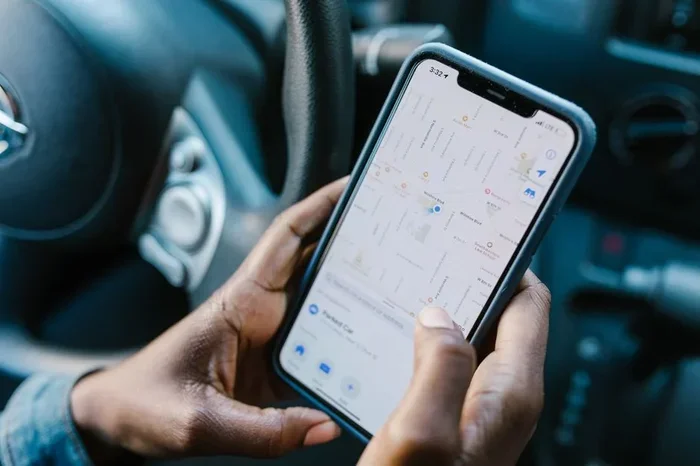
Visual guide about Apple AirTag car tracking
Image source: images.pexels.com
How Well Does AirTag Work for Car Tracking?
Placing an AirTag inside your car is straightforward. You can slip it into the glove box, tuck it under a seat, or attach it to the key fob. Once set up, you can use the Find My app to see the last known location of your car.
Here is what works well:
- Finding a parked car: If you forget where you parked, AirTag is excellent. Open the Find My app, and it shows you the location.
- Short-range tracking: If your car is within Bluetooth range (about 30 feet), you can use Precision Finding to walk right to it.
- Locating a stolen car: If someone steals your car and drives it past other Apple devices, the AirTag location updates. You can see where it was last detected.
Here is what does not work well:
- Real-time GPS tracking: AirTag does not give you live, continuous location updates like a GPS tracker.
- Tracking in remote areas: If there are no Apple devices nearby, the AirTag location will not update.
- Long-distance tracking: If your car is shipped across the country, you only see the last location where it passed an Apple device.
Setting Up AirTag for Car Tracking
Setting up an AirTag for your car is quick and easy. Follow these steps:
- Open the Find My app on your iPhone.
- Tap the Items tab.
- Tap Add Item and select your AirTag.
- Follow the on-screen prompts to pair it.
- Choose a name like “My Car” for easy identification.
- Place the AirTag somewhere discreet inside the vehicle.
Once paired, you can enable Separation Alerts. This feature notifies you when your iPhone moves away from the AirTag. It is handy if you accidentally leave the AirTag behind.
Pros and Cons of Using AirTag for Car Tracking
Every tracking solution has strengths and weaknesses. Let us break down the pros and cons of using AirTag for car tracking so you can make an informed decision.
The Pros
- Affordable: A single AirTag costs around $29. No monthly fees are required.
- Easy to set up: Pairing takes less than a minute with your iPhone.
- No subscription needed: Unlike many GPS trackers, AirTag has no recurring costs.
- Long battery life: One battery lasts about 12 months.
- Large network: Over a billion Apple devices are part of the Find My network.
- Precision Finding: Ultra-wideband gives you accurate direction and distance.
- Privacy built in: AirTag alerts you if an unknown tag is moving with you.
The Cons
- No real-time GPS: You cannot watch your car move on a live map.
- Dependent on Apple devices: In areas with few iPhone users, tracking is limited.
- No history tracking: AirTag does not store a full location history for you to review later.
- Battery replacement: You must replace the battery once a year.
- Not designed for vehicles: AirTag is meant for personal items, not heavy-duty car tracking.
- Stolen car recovery is limited: If a thief knows about AirTags, they can find and remove it.
AirTag vs. Dedicated GPS Car Trackers
If you are serious about tracking your car, you should compare AirTag vs GPS car tracker options. They serve different purposes, and understanding the difference is important.
Key Differences
A dedicated GPS tracker uses satellite signals to pinpoint your car’s exact location at all times. It works anywhere with cellular service and provides real-time updates. AirTag, on the other hand, uses Bluetooth and nearby Apple devices. It is not designed for continuous tracking.
Comparison Table
| Feature | Apple AirTag | Dedicated GPS Tracker |
|---|---|---|
| Real-time tracking | No | Yes |
| GPS built in | No | Yes |
| Monthly fee | None | |
| Battery life | ~1 year | Varies (days to weeks) |
| Setup | Very easy | Moderate |
| Range | Bluetooth + Find My network | Global (cellular + satellite) |
| Live map | No | Yes |
| Geofencing alerts | No | Yes |
| Cost | ~$29 one-time | $50-$200+ device + subscription |
| Best for | Finding parked car | Real-time car monitoring |
When to Choose AirTag
Choose AirTag if you mainly want to remember where you parked. It is also great if you do not want to pay monthly fees. It is a simple, no-hassle solution for everyday use.
When to Choose a GPS Tracker
Choose a dedicated GPS tracker if you need live tracking, geofencing alerts, or theft recovery support. Popular options include Tracki, Bouncie, and SpyTec GPS. These devices are designed specifically for vehicle tracking and offer far more features.
Privacy and Security Considerations
One of the biggest concerns with any tracking device is privacy. Apple has built strong privacy protections into AirTag, but there are still things to know.
How AirTag Protects Privacy
AirTag is designed to prevent misuse. If an AirTag that does not belong to you is moving with you over time, your iPhone will alert you. The AirTag will also start beeping after a period of time to let you know something is nearby. Android users can download the Tracker Detect app to scan for unknown AirTags.
Can Someone Track You Through Your Car?
If someone places an AirTag in your car without your knowledge, Apple has safeguards. You will receive a notification on your iPhone saying that an AirTag is moving with you. This gives you time to find and remove it. However, if you use an Android phone, you may not get this alert unless you have the Tracker Detect app installed.
Tips to Stay Safe
- Regularly scan for unknown trackers: Use the Find My app to check for unfamiliar AirTags near your car.
- Keep your iPhone updated: Apple pushes privacy updates regularly.
- Be aware of your surroundings: If your phone alerts you to an unknown tracker, investigate immediately.
Expert Tips for Using AirTag with Your Car
Want to get the most out of your AirTag for car tracking? Here are some practical tips from real-world experience.
Hide It Well
Place the AirTag somewhere hidden but accessible. The glove box, under a seat, or inside the center console are good spots. If a thief sees the AirTag, they may remove it. Hiding it makes it harder to find and more likely to stay in place.
Use a Protective Case
Cars can get hot, cold, and damp. A waterproof AirTag case protects the device from damage. It also prevents the AirTag from rattling around inside the car.
Enable Notifications
Turn on Separation Alerts in the Find My app. This way, you get a notification if your AirTag moves away from your iPhone. It helps you know if someone removes the AirTag from your car.
Check Battery Regularly
The Find My app shows your AirTag battery level. Make a habit of checking it every few months. Replace the battery before it dies so you do not lose tracking capability.
Combine with Other Methods
For the best results, use AirTag alongside other car security tools. A steering wheel lock, a dashcam, or a dedicated GPS tracker adds layers of protection. No single solution is perfect on its own.
Common Mistakes People Make with AirTag Car Tracking
Avoid these common mistakes to get the best experience with your AirTag.
- Assuming real-time tracking: AirTag does not provide live location updates. Do not rely on it for real-time monitoring.
- Placing it in plain sight: A visible AirTag is easy to find and remove. Hide it well.
- Ignoring battery alerts: A dead AirTag means no tracking. Replace the battery on time.
- Relying only on AirTag for car security: AirTag is a finding tool, not a security system. Use it with other measures.
- Not testing it regularly: Occasionally check that your AirTag shows the correct location in the Find My app.
Quick Tips
- Use Precision Finding: Walk toward your car and follow the on-screen arrows for exact guidance.
- Name your AirTag: Call it “My Car” so you can quickly identify it in the Find My app.
- Keep it away from metal: Metal surfaces can block Bluetooth signals. Place the AirTag in a fabric-lined area.
- Update your iPhone: The latest iOS version ensures the best AirTag performance and privacy features.
- Share location with trusted contacts: You can share your car’s AirTag location with family members through the Find My app.
Frequently Asked Questions
Can Apple AirTag track a car in real time?
No, AirTag cannot provide real-time GPS tracking. It relies on Bluetooth and nearby Apple devices to update its location. For live tracking, you need a dedicated GPS car tracker with cellular connectivity.
How accurate is AirTag for finding a parked car?
AirTag is very accurate for finding a parked car, especially with Precision Finding on newer iPhones. It can guide you to within a few feet of the AirTag’s location using ultra-wideband technology.
Does using AirTag to track my car cost anything monthly?
No. AirTag has no monthly fees. You pay once for the device, and there are no subscriptions or recurring charges. The battery replacement costs about a few dollars per year.
Can a thief detect and remove an AirTag from my car?
Yes, if a thief knows about AirTags, they can search for and remove one. This is why you should hide the AirTag well and consider using additional security measures like a GPS tracker or steering wheel lock.
What is the range of AirTag for car tracking?
AirTag has a Bluetooth range of about 30 feet for direct tracking. Through the Find My network, it can be tracked from anywhere as long as other Apple devices are nearby to relay its signal.
Is it legal to put an AirTag in your own car?
Yes, it is completely legal to place an AirTag in your own car for tracking purposes. However, using an AirTag to track someone else’s vehicle or person without their consent is illegal in many jurisdictions.
Final Thoughts
So, can you use Apple AirTag to track your car effectively? The answer is yes, but with clear boundaries. AirTag is a fantastic tool for finding your parked car, recovering a lost vehicle, and adding a layer of security. It is affordable, easy to set up, and requires no monthly fees.
However, AirTag is not a replacement for a dedicated GPS car tracker. If you need real-time location updates, geofencing alerts, or long-distance tracking, you should invest in a proper GPS tracking device for your car. AirTag fills a specific niche, and it fills it well.
The best approach is to understand what AirTag can and cannot do. Use it for what it excels at, and pair it with other tools for comprehensive car security. Whether you are a forgetful parker or a concerned car owner, Apple AirTag offers a practical and affordable solution that fits most everyday needs.
Now that you know how it all works, set up your AirTag, hide it smartly, and enjoy the peace of mind that comes with always knowing where your car is. It is a small device that makes a big difference.