Mazda Turn Off Istop
Knowing how to Mazda Turn Off Istop is essential for every Mazda owner. Whether you are dealing with a glitch, saving battery life, or just prefer a smoother ride, this guide walks you through every method. We also cover common i-stop problems, safety concerns, and expert troubleshooting tips to keep your Mazda running at its best.
You are cruising down the road in your Mazda, and suddenly the engine shuts off at a red light. It is the i-Stop system doing its thing. For some drivers, this is a great fuel-saving feature. For others, it feels annoying, jerky, or just plain confusing. If you have been searching for how to Mazda Turn Off Istop, you are in the right place.
The Mazda i-stop system is designed to shut off your engine when you come to a complete stop. This reduces idle time and saves fuel. It works great on paper. But in real life, it can cause rough restarts, battery drain, and general frustration. Many Mazda owners want to know how to turn off i-stop for good. This guide gives you every answer you need, step by step.
We will cover exactly what i-stop is, why you might want to disable it, how to do it on different Mazda models, and what to do when things go wrong. You will also learn about common problems, safety tips, and expert advice that you will not find in the owner manual.
Key Takeaways
- Easy Toggle: You can turn off Mazda i-Stop with a simple button press or through the settings menu.
- Battery Awareness: A weak battery often causes the i-stop system to activate or fail unexpectedly.
- Safety First: Driving with i-stop disabled is safe and will not harm your engine.
- Fuel Savings Trade-Off: Turning off i-stop means your engine idles more, which can reduce fuel economy slightly.
- Common Fixes: Most i-stop issues resolve with a simple reset or battery check.
- Regular Maintenance: Keeping your battery and sensors clean helps the Mazda stop-start system work properly.
📑 Table of Contents
- What Is Mazda i-Stop and How Does It Work?
- Why Would You Want to Turn Off Mazda i-Stop?
- How to Turn Off Mazda i-Stop (Step by Step)
- Common Problems With Mazda i-Stop
- When i-Stop Won’t Turn Off: Troubleshooting Guide
- Is It Safe to Drive With i-Stop Turned Off?
- Mazda i-Stop Maintenance Tips
- Final Thoughts
What Is Mazda i-Stop and How Does It Work?
The Mazda i-stop system is an automatic engine stop-start technology. It is part of Mazda’s Skyactiv engine lineup. When you stop at a light or in traffic, the system detects that the car is not moving. It then shuts off the engine automatically. When you take your foot off the brake, the engine restarts instantly.
Here is how it works in simple terms:
- The i-stop sensor detects a full stop.
- The engine shuts off to save fuel.
- When you release the brake or press the clutch, the engine restarts.
- Fuel economy improves because the engine is not idling.
Mazda designed this system to improve fuel efficiency by up to 10 percent in city driving. That sounds great. But the system relies on several components working together. The i-stop system needs a healthy battery, a working starter motor, and functioning sensors. When any of these fail, the system can behave unpredictably.
Many drivers report that the Mazda stop-start system feels rough on restart. The engine jolts. The cabin shakes. It can be unsettling, especially at stoplights. This is one of the main reasons drivers look for ways to turn off i-stop on their Mazdas.
Which Mazda Models Have i-Stop?
Most modern Mazda vehicles come with the i-stop feature as standard or optional. Here are the common models:
- Mazda3 (2014 and newer)
- Mazda6 (2015 and newer)
- CX-3 and CX-30
- CX-5 (2015 and newer)
- CX-9
- Mazda3 Hatchback models with Skyactiv engines
If your Mazda has a Skyactiv engine, there is a very good chance it has i-stop technology. Check your owner manual or look for the i-stop button near the gear shift or on the dashboard.
Why Would You Want to Turn Off Mazda i-Stop?
There are many valid reasons to Mazda Turn Off Istop. It is not just about personal preference. Sometimes, the system causes real problems that affect your daily driving experience.

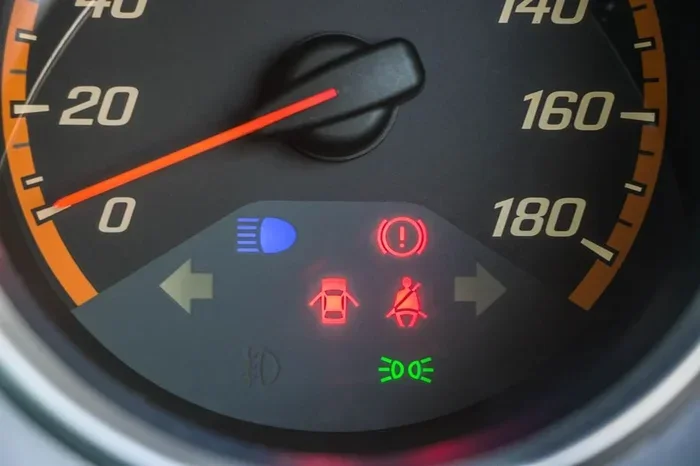
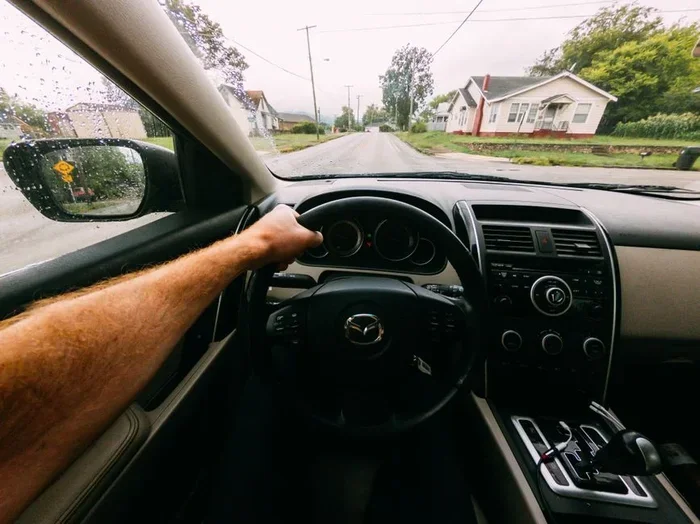
Visual guide about Mazda i-stop dashboard
Image source: images.pexels.com
Here are the most common reasons drivers disable i-stop:
- Rough Engine Restarts: The jolt when the engine restarts can be uncomfortable for passengers.
- Battery Drain: Frequent stop-start cycles put extra strain on the battery, especially in cold weather.
- AC Performance: When the engine shuts off, the AC compressor stops too. Your cabin can get warm quickly.
- Traffic Frustration: In heavy stop-and-go traffic, constant engine cycling gets annoying fast.
- Starter Motor Wear: The starter motor fires much more often with i-stop active, which can lead to early wear.
- Sensor Malfunctions: Dirty or faulty sensors can trigger the i-stop warning light and cause the system to malfunction.
- Hilly Terrain: On steep hills, the engine may not restart smoothly or may shut off at unwanted times.
Each of these reasons is valid. You do not need a technical excuse to want a smoother, quieter driving experience. The Mazda i-stop system is a convenience feature, not a requirement. You can absolutely drive your Mazda with it turned off.
Does Turning Off i-Stop Affect Fuel Economy?
Yes, it does. The i-stop system saves fuel by eliminating idle time. When you turn it off, your engine will idle more often. In city driving, this can reduce your fuel economy by 5 to 10 percent. However, the difference is usually small, and many drivers feel the trade-off is worth the smoother ride.
How to Turn Off Mazda i-Stop (Step by Step)
Turning off Mazda i-stop is simple. The exact method depends on your Mazda model and year. Here are the most common ways to Mazda Turn Off Istop.
Method 1: Press the i-Stop Button
This is the easiest way to disable the system temporarily. Here is what to do:
- Start your Mazda and let the engine warm up.
- Look for the i-Stop button. It is usually near the gear shift or on the center console.
- Press the button. The i-stop indicator light on the dashboard will turn off.
- The system is now disabled. Your engine will not shut off at stops.
Note: On most Mazdas, this setting resets every time you turn the engine off and start it again. You will need to press the button again each time you drive.
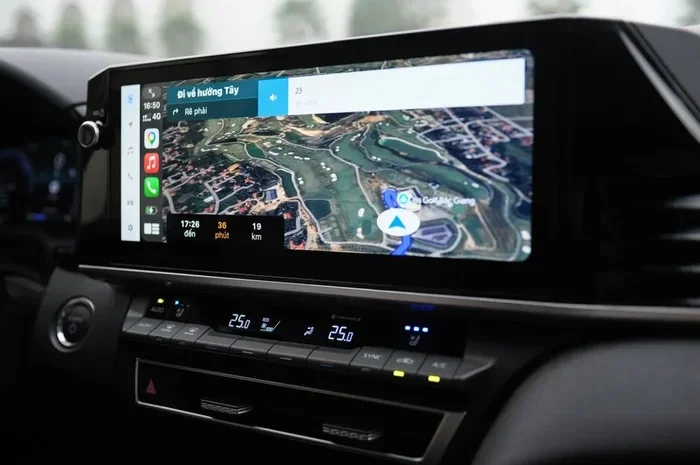
Method 2: Use the Infotainment System Settings
Some newer Mazda models let you disable i-stop through the infotainment screen:
- Press the Settings button on your Mazda’s touchscreen.
- Navigate to Vehicle Settings or Driving Assistance.
- Look for i-Stop or Engine Stop-Start in the menu.
- Toggle the setting to Off.
This method may save your preference between drives, depending on your model. Check your owner manual for specific instructions.
Method 3: Turn Off i-Stop Using the Clutch Pedal
If your Mazda has a manual transmission, you can prevent i-stop from activating by pressing the clutch pedal fully when you come to a stop. The system needs the clutch to be engaged to restart the engine. If you keep the clutch pressed, i-stop will not engage.
Method 4: Disable i-Stop Through the i-Activesense Menu
On certain Mazda models with the i-Activsense package, you can access i-stop settings through the driver assistance menu. Use the steering wheel controls to scroll through the options and find the i-stop toggle.
Quick Reference: i-Stop Button Locations by Model
| Mazda Model | i-Stop Button Location |
|---|---|
| Mazda3 | Near the gear shifter or on the left side of the steering column |
| Mazda6 | Center console, near the climate controls |
| CX-5 | Dashboard area, left of the steering wheel |
| CX-9 | Center console, near the transmission shifter |
If you cannot find the button, consult your owner manual. The i-stop button is small and sometimes blends in with other controls.
Common Problems With Mazda i-Stop
The Mazda i-stop system is reliable, but it is not perfect. Many owners experience issues that lead them to search for how to Mazda Turn Off Istop permanently. Here are the most common problems.
i-Stop Warning Light Stays On
If the i-stop warning light stays illuminated on your dashboard, the system has detected a problem. Common causes include:
- A weak or aging battery
- A faulty i-stop sensor
- Low battery voltage from accessories drawing power
- A malfunctioning starter motor
When this light comes on, the i-stop system will not activate. It is your car telling you something needs attention. Do not ignore it.
Engine Does Not Restart After Stopping
This is a rare but serious issue. If your engine shuts off and does not restart, pull over safely. The most likely causes are a dead battery or a failed starter motor. This is where having a Mazda roadside assistance plan really pays off.
i-Stop Activates When You Do Not Want It To
Sometimes the i-stop system activates at the wrong time. Maybe you are in a left-turn lane and the engine shuts off. Or you are on a steep hill and the engine cuts out. These situations can be dangerous if you are not expecting them.
The best fix is to disable i-stop using the methods described above. You can also have a mechanic check the i-stop sensor calibration.
Battery Drain From Frequent i-Stop Cycles
The Mazda i-stop system relies heavily on the battery. Every time the engine shuts off and restarts, the battery provides the power. Over time, this can wear down a weak battery faster than normal driving would.
If you live in a cold climate or your Mazda is several years old, consider having your battery tested regularly. A strong AGM battery handles i-stop cycles much better than a standard battery.
When i-Stop Won’t Turn Off: Troubleshooting Guide
Sometimes you press the i-stop button and the system keeps coming back. This is frustrating. Here is how to troubleshoot the issue.
Check Your Battery First
A low battery voltage can prevent the i-stop system from being disabled properly. Use a multimeter to check your battery voltage. It should read at least 12.4 volts when the engine is off. If it is lower, charge or replace the battery.
Reset the i-Stop System
Sometimes a simple reset fixes the problem:
- Turn off the engine.
- Wait 30 seconds.
- Restart the engine.
- Press the i-stop button immediately.
This resets the system and often clears any temporary glitches.
Inspect the i-Stop Button
The i-stop button itself can wear out over time. If it feels mushy or does not click when pressed, it may need replacement. A mechanic can test the button and swap it out if needed.
Check for Software Updates
Mazda occasionally releases software updates for the i-stop system through dealerships. These updates can fix bugs that prevent the system from being disabled. Ask your dealer if any updates are available for your model.
Visit a Mazda Dealer
If none of the above steps work, it is time to see a professional. A certified Mazda technician can run diagnostic tests on the i-stop system and identify the root cause. This is especially important if the i-stop warning light is flashing or blinking.
Is It Safe to Drive With i-Stop Turned Off?
Yes, absolutely. Driving your Mazda with i-stop disabled is completely safe. The system is a convenience feature, not a safety feature. Turning it off will not damage your engine or void your warranty.
Here is what you need to know:
- Your engine will idle normally at stops.
- Your starter motor will experience less wear.
- Your battery will not be stressed by frequent stop-start cycles.
- Your AC will continue to work even when stopped.
The only downside is slightly lower fuel economy in city driving. But for many drivers, the smoother, quieter ride is well worth it.
Expert Insight: When to Keep i-Stop On
Some driving conditions actually benefit from keeping i-stop active. For example, in heavy city traffic with long waits at lights, i-stop can save meaningful fuel. If you drive in stop-and-go traffic daily, the system can add up to fuel savings over time. It is all about balance and personal preference.
Mazda i-Stop Maintenance Tips
Want your Mazda stop-start system to last longer? Follow these simple maintenance tips:
- Check your battery every 6 months, especially if you drive in extreme temperatures.
- Keep the battery terminals clean and free of corrosion.
- Replace your battery every 4 to 5 years, or sooner if you notice slow starts.
- Clean the i-stop sensor during regular service appointments.
- Use the correct battery type recommended by Mazda, typically an AGM battery.
- Avoid adding too many electrical accessories that draw power from the battery.
Regular maintenance keeps the i-stop system working smoothly and reduces the chances of unexpected problems. A well-maintained battery is the heart of the Mazda i-stop system.
Final Thoughts
Knowing how to Mazda Turn Off Istop gives you control over your driving experience. Whether you want to disable it temporarily at a red light or turn it off permanently, you now have all the tools and knowledge you need. The process is simple, safe, and can make a real difference in how your Mazda feels on the road.
Remember, the i-stop system is a helpful feature, but it is not for everyone. If rough restarts, battery concerns, or just personal preference lead you to disable it, that is perfectly fine. Your Mazda will run just as well without it. Keep up with regular maintenance, watch for warning lights, and enjoy the drive.
Next time someone asks you about Mazda i-stop, you will be the expert they turn to. Share this guide, help fellow Mazda owners, and drive with confidence knowing you have full control over your vehicle.
Frequently Asked Questions
Can I permanently disable Mazda i-stop?
Yes, you can. Most Mazda models have a temporary i-stop button that resets each time you start the engine. For a more permanent solution, check your infotainment settings or consult a Mazda dealer about software-based options. Some owners also install aftermarket i-stop disable modules for a permanent fix.
Will turning off i-stop void my Mazda warranty?
No. Disabling the i-stop system manually will not void your warranty. Mazda designed the system as a user-controlled feature. However, if you modify the system with aftermarket parts that cause damage, that could affect warranty coverage. Always check with your dealer if you are unsure.
Why does my Mazda i-stop keep turning back on?
The i-stop system typically resets every time you turn the engine off and restart. This is normal behavior on most Mazda models. If the system keeps activating even when you press the button, check your battery voltage and the i-stop button itself. A weak battery or faulty button can cause this issue.
Does i-stop really save fuel?
Yes, the Mazda i-stop system does save fuel, especially in city driving. By shutting off the engine at idle, it eliminates fuel waste. Most drivers see a 5 to 10 percent improvement in fuel economy. However, the savings depend on your driving conditions, traffic patterns, and how often you stop.
What should I do if the i-stop warning light is flashing?
A flashing i-stop warning light means the system has detected a serious issue. Stop driving safely and check your battery first. If the battery is fine, visit a Mazda dealer or qualified mechanic for diagnostic testing. Do not ignore a flashing warning light, as it could indicate a problem with the starter motor or sensors.
Can a weak battery cause i-stop problems?
Absolutely. The i-stop system relies on a healthy battery to function properly. A weak or old battery can cause rough restarts, failure to activate i-stop, or the warning light to stay on. If your Mazda is more than three years old, have the battery tested regularly to prevent i-stop issues.
=== CONCLUSION ===
Understanding how to Mazda Turn Off Istop is one of the simplest ways to take control of your driving experience. Whether you are dealing with a glitch, saving battery life, or just prefer a smoother ride, the methods in this guide cover everything you need. From the simple button press to infotainment settings and troubleshooting tips, you now have a complete resource for managing your Mazda i-stop system. Keep your battery healthy, stay on top of maintenance, and enjoy every mile in your Mazda.